
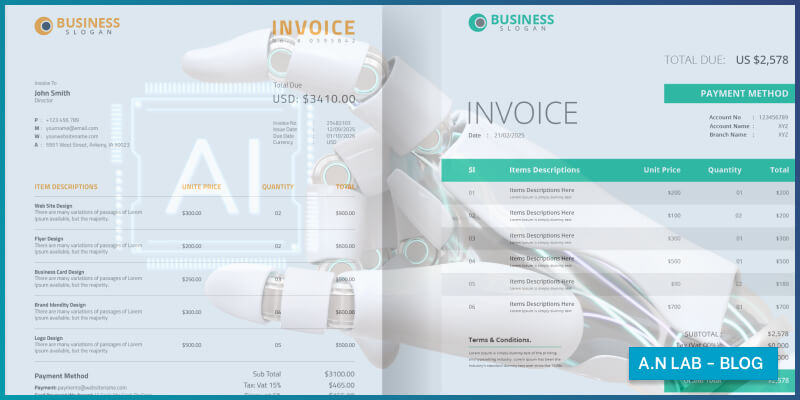
If you’ve ever spent hours manually typing information from paper invoices into your accounting system, you know the pain. It’s tedious, error-prone, and feels like a massive waste of time. What if I told you there’s a technology that can read these documents for you, extract the important information, and input it into your systems automatically? That’s exactly what AI OCR for invoice processing does, and it’s transforming how businesses handle their back-office operations.
- What Is AI OCR and Why Should You Care?
- The Real Problem with Manual Invoice Processing
- How AI OCR Actually Works
- Real-World Benefits That Actually Matter
- What Types of Documents Work Best?
- Choosing the Right AI OCR Solution
- Implementation: Setting Yourself Up for Success
- The Future Is Already Here
- Taking the First Step
- Conclusion
1. What Is AI OCR and Why Should You Care?
Let’s start with the basics. OCR stands for Optical Character Recognition. Think of it as teaching computers to read text the way humans do. When you scan a document or take a photo of an invoice, OCR technology converts that image into editable, searchable text that computers can understand and process.
But here’s where it gets interesting: traditional OCR has been around for decades, and while it’s useful, it’s fairly limited. It can recognize printed text, but it struggles with handwriting, different fonts, poor image quality, or documents that don’t follow a standard template. This is where artificial intelligence comes into the picture.
AI OCR for invoice processing takes things to a whole new level. It doesn’t just read text; it understands context, learns from patterns, and gets smarter over time. It can handle invoices from hundreds of different vendors, each with their own unique layout, and still figure out where the invoice number is, what the total amount is, and which items were purchased. It’s like having a super-smart assistant who never gets tired and keeps getting better at their job.
2. The Real Problem with Manual Invoice Processing
Before we dive deeper into the solution, let’s talk about why this matters. Most businesses still rely heavily on manual data entry for invoices and documents. Here’s what that typically looks like:
Someone receives an invoice by email or mail. They open it, read through it, and manually type the vendor name, invoice number, date, line items, and total amount into an accounting system. Then they file it away (physically or digitally) for record-keeping. If they’re lucky, this takes five minutes per invoice. If the invoice is complex or poorly formatted, it could take much longer.
Now multiply that by hundreds or thousands of invoices per month. The costs add up quickly, not just in labor hours but also in errors. A mistyped number here, a missed decimal point there, and suddenly you’re overpaying vendors or creating accounting headaches that take even more time to fix.
Beyond the direct costs, there’s the opportunity cost. Your finance team could be analyzing spending patterns, negotiating better terms with vendors, or focusing on strategic initiatives. Instead, they’re stuck doing data entry that a computer could handle.
3. How AI OCR Actually Works
You don’t need to understand the intricate technical details to benefit from AI OCR, but knowing the basics helps you appreciate what makes it so powerful.
When you feed an invoice into an AI OCR system, several things happen in rapid succession. First, the system analyzes the image quality and automatically enhances it if needed, correcting for skewed angles, poor lighting, or low resolution. This is like how your smartphone automatically adjusts photos before saving them.
Next, the AI identifies the structure and layout of the document. It recognizes that this is an invoice (not a receipt or purchase order) and starts looking for the typical elements: company names, dates, invoice numbers, line items with descriptions and prices, subtotals, taxes, and the final amount due.
Here’s where AI really shines: it doesn’t just look for text in specific locations. Traditional OCR might expect the invoice number to always be in the top-right corner. But AI OCR understands that “Invoice #12345” is an invoice number regardless of where it appears on the page. It recognizes context clues, understands common business document patterns, and can even make educated guesses when information is ambiguous.
The system then extracts all this information and organizes it into a structured format that your other business systems can use. Instead of a PDF or image file, you now have clean, categorized data: vendor name, date, amounts, tax information, and everything else you need.
The best part? The AI learns from corrections. If someone reviews the extracted data and corrects a mistake, the system remembers that pattern and is less likely to make the same error in the future.
4. Real-World Benefits That Actually Matter
Let’s talk about what AI OCR for invoice processing means for your business in practical terms.
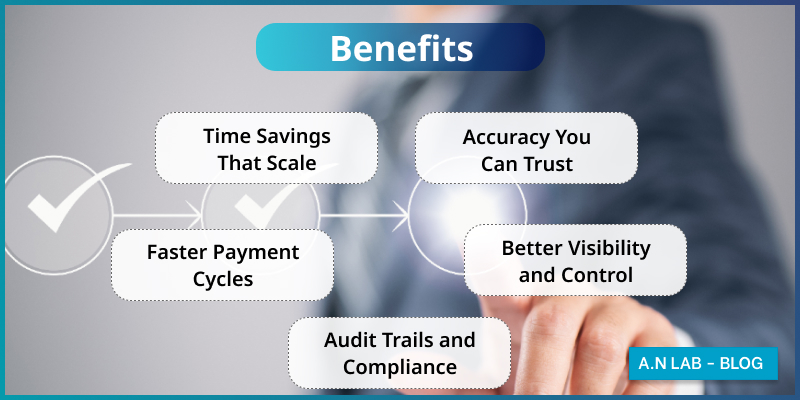
4.1 Time Savings That Scale
The most obvious benefit is speed. What takes a person several minutes can be done by AI in seconds. A company processing 500 invoices per month could reduce processing time from 40+ hours to just a few hours of review time. That’s an entire work week freed up every single month.
But the real power is in scalability. During busy periods like month-end or quarter-end, manual processing becomes a bottleneck. You either work overtime or fall behind. AI OCR doesn’t care if you send it 50 invoices or 500; it processes them all at the same speed.
4.2 Accuracy You Can Trust
Humans make mistakes, especially during repetitive tasks. Studies show that manual data entry typically has an error rate between 1% and 4%. That might not sound like much, but on 1,000 invoices, you’re looking at 10 to 40 errors that need to be caught and corrected.
AI OCR systems, when properly implemented, can achieve accuracy rates above 95%, and the best systems exceed 99% for standard invoices. More importantly, they make consistent mistakes that are easy to catch and correct, rather than random errors that slip through the cracks.
4.3 Faster Payment Cycles
When invoices are processed quickly and accurately, you can pay vendors faster. This might not seem like a priority, but it actually provides significant advantages. Many vendors offer early payment discounts, typically 1-2% if you pay within 10 days instead of the standard 30 days. On a million dollars of annual purchases, that’s $10,000 to $20,000 in savings.
Additionally, paying on time improves vendor relationships and can lead to better pricing, priority service, or more favorable terms. It’s the kind of win-win that makes good business sense.
4.4 Better Visibility and Control
When all your invoice data is digitized and searchable, you gain insights that were previously hidden in filing cabinets or scattered email folders. You can quickly answer questions like: How much are we spending with this vendor? Are we getting the prices we negotiated? Which departments are going over budget?
This visibility enables better decision-making. You might discover that you’re using ten different suppliers for the same type of product, when consolidating to three could get you volume discounts. Or you might notice spending patterns that suggest opportunities to renegotiate contracts.
4.5 Audit Trails and Compliance
For industries with strict regulatory requirements, having a complete digital record of all invoices and their processing history is invaluable. AI OCR systems typically maintain detailed logs of when documents were received, processed, approved, and paid. This makes audits much simpler and helps ensure compliance with financial regulations.
5. What Types of Documents Work Best?
While we’ve focused primarily on invoices, AI OCR technology works well with many types of business documents. Understanding what works best helps you prioritize your implementation.
5.1 Invoices and Bills
This is the sweet spot for AI OCR. Invoices have a relatively standard structure even when they look different. They contain similar types of information (amounts, dates, vendor details), which makes them ideal for AI to process. Whether you’re dealing with utility bills, vendor invoices, or service charges, AI OCR handles them effectively.
5.2 Receipts
Similar to invoices but often smaller and less structured. Modern AI OCR can extract key information from receipts, which is particularly useful for expense management. Your employees can simply snap a photo of a receipt, and the system captures all the relevant details for expense reporting.
5.3 Purchase Orders
When you issue purchase orders to vendors, AI OCR can help you match them against received invoices to ensure you’re being charged correctly. This three-way matching (purchase order, receiving document, and invoice) is a critical control in accounts payable.
5.4 Contracts and Agreements
While more complex, AI OCR can extract key terms from contracts such as dates, payment terms, renewal clauses, and obligations. This helps you manage contract compliance and avoid missing important deadlines.
5.5 Forms and Applications
If your business processes customer applications, registration forms, or other standardized documents, AI OCR can dramatically speed up data entry while reducing errors.
6. Choosing the Right AI OCR Solution
Not all AI OCR systems are created equal. When evaluating options for your business, consider these factors:
6.1 Accuracy for Your Specific Documents
Most vendors will quote impressive accuracy numbers, but the real question is: how accurate is it for your documents? Request a trial or proof-of-concept using your actual invoices. A system that’s 99% accurate on clean, well-formatted invoices might drop to 85% accuracy on your vendor’s hand-written invoices.
6.2 Integration Capabilities
The AI OCR system needs to work with your existing tools. Can it automatically pull invoices from your email? Does it integrate with your accounting software? Can it push data to your ERP system? The easier the integration, the more value you’ll get and the faster your return on investment.
6.3 Human Review Workflow
Even the best AI isn’t perfect. Look for systems that make it easy for humans to review and correct extracted data. The interface should clearly highlight areas where the AI is uncertain, and corrections should be simple to make. Remember, the AI learns from these corrections, so a good review workflow actually improves the system over time.
6.4 Learning and Customization
Can the system be trained on your specific vendors and document types? Some solutions improve automatically as you use them, while others require manual training. Understanding this helps set realistic expectations and plan for ongoing optimization.
6.5 Security and Compliance
Your invoices contain sensitive business information. Ensure the solution offers appropriate security measures: encryption, access controls, audit logs, and compliance with relevant regulations like GDPR or industry-specific requirements.
6.6 Scalability and Pricing
Consider both your current volume and future growth. How is the solution priced? Per document? Per user? Flat monthly fee? Make sure the pricing model aligns with your usage and that the system can scale as your business grows.
7. Implementation: Setting Yourself Up for Success
Implementing AI OCR doesn’t have to be a massive, disruptive project. Here’s how to approach it practically:
7.1 Start Small and Focused
Don’t try to digitize everything at once. Pick one document type or one department to start with. Invoices from your top 20 vendors is a great starting point. This allows you to learn the system, work out any kinks, and demonstrate value before expanding.
7.2 Prepare Your Team
The people using the system daily need to understand how it works and why it matters. Invest time in training, but keep it simple and practical. Show them how much time they’ll save and how the AI helps them avoid tedious work. Get their feedback early and often; they’ll spot issues and opportunities that management might miss.
7.3 Clean Up Your Processes First
AI OCR works best when you have clear, consistent processes. Before implementing, document your current invoice approval workflow. Who needs to approve what? What happens when there’s a discrepancy? Having clear processes makes automation much more effective.
7.4 Plan for the Exception Cases
No matter how good your AI OCR is, there will be invoices it can’t handle: damaged documents, completely non-standard formats, or edge cases your vendors occasionally send. Have a clear process for handling these exceptions so they don’t become bottlenecks.
7.5 Measure What Matters
Track metrics that demonstrate value: time saved per invoice, error rates before and after, days to process invoices, early payment discounts captured. These numbers help you optimize the system and justify the investment to stakeholders.
8. The Future Is Already Here
AI OCR technology is advancing rapidly. What seemed impossible five years ago is now standard, and what’s cutting-edge today will be commonplace tomorrow. We’re seeing AI that can handle completely unstructured documents, understand multiple languages seamlessly, and even detect potential fraud by recognizing unusual patterns.
More importantly, AI OCR is becoming more accessible. What once required significant investment and technical expertise can now be implemented by businesses of all sizes. Cloud-based solutions have eliminated the need for expensive infrastructure, and user-friendly interfaces mean you don’t need a team of data scientists to get value from the technology.
9. Taking the First Step
If you’re still manually processing invoices and documents, you’re not just wasting time; you’re missing opportunities. The good news is that getting started with AI OCR for invoice processing is easier than you might think.
Begin by assessing your current document processing volume and costs. How many hours per week does your team spend on data entry? What’s the error rate? What problems arise from slow processing or inaccurate data? Understanding your baseline helps you set goals and measure success.
Next, research solutions that fit your needs and budget. Most vendors offer free trials or demos. Take advantage of these to see how the technology works with your actual documents. Pay attention to accuracy, ease of use, and integration capabilities.
Finally, start small, learn fast, and scale up. The businesses seeing the most success with AI OCR are those that view it as an ongoing process of improvement rather than a one-time implementation. They continuously refine their workflows, train their systems, and expand to new use cases.
10. Conclusion
AI OCR for invoices and documents isn’t just about saving time on data entry, though that alone makes it worthwhile. It’s about transforming your back-office operations from a cost center focused on processing paperwork into a strategic function that provides insights, controls costs, and enables better decision-making.
The technology is proven, accessible, and delivering real results for businesses across industries. Whether you’re a small business drowning in invoices or a large enterprise looking to modernize your accounts payable process, AI OCR offers a clear path forward.
The question isn’t whether AI OCR can help your business. It’s whether you can afford to keep doing things the old way while your competitors race ahead. The future of document processing is here, and it’s time to embrace it.
Transform Your Document Processing with Document Checker
Ready to experience the power of AI OCR firsthand? Document Checker by A.N LAB delivers enterprise-grade document processing that’s built specifically for modern businesses. Our solution combines advanced AI technology with intuitive workflows to automate invoice processing, extract data with exceptional accuracy, and seamlessly integrate with your existing systems. Whether you’re processing hundreds or thousands of documents monthly, Document Checker scales effortlessly while maintaining the precision your finance team demands. We understand that every business has unique requirements, which is why our platform offers flexible customization options and dedicated support to ensure your success. Don’t let manual document processing hold your business back. Discover how Document Checker can revolutionize your back-office operations and schedule a personalized demo today.